Email Image Personalization: The Complete Guide for E-Commerce Brands in 2026

Why Generic Email Images Are Killing Your Click-Through Rates
Every day, your subscribers receive dozens of marketing emails. Most look the same — stock photos, generic banners, and one-size-fits-all visuals. The result? Your carefully crafted email gets lost in a sea of sameness.
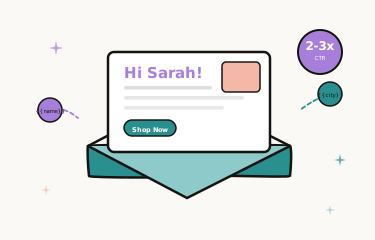
Email image personalization changes this entirely. By dynamically inserting recipient-specific content into your email images — names, locations, purchase history, countdown timers — you create a visual experience that feels tailor-made. And the data backs it up:
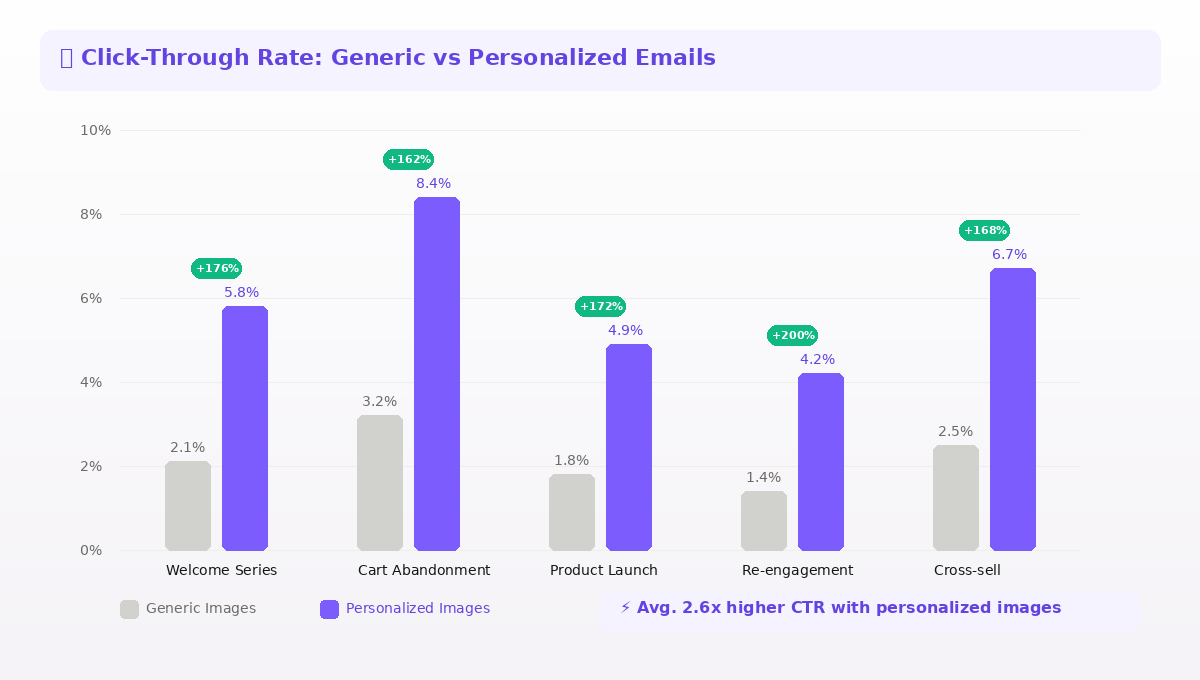
As the data shows, personalized email images consistently drive 2-3x higher click-through rates compared to static alternatives across every campaign type.
What Is Email Image Personalization?
Email image personalization is the practice of dynamically generating or modifying images within an email based on individual recipient data. Unlike traditional personalization (inserting a first name into subject lines), image personalization transforms the visual experience of every email open.
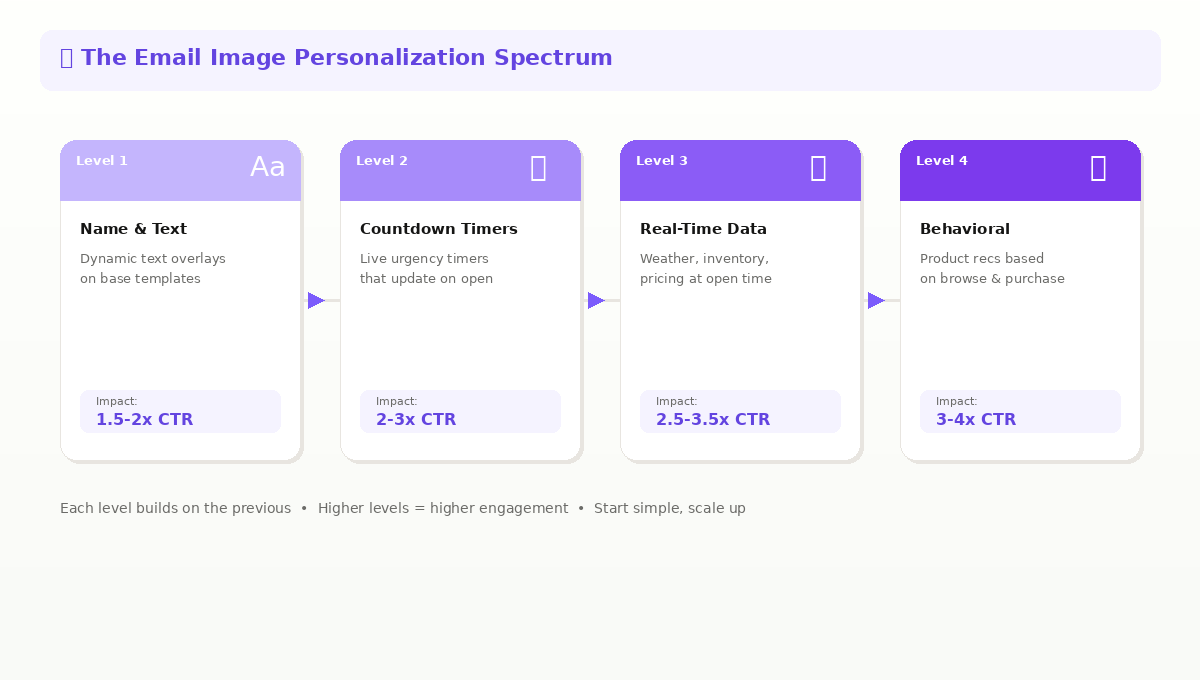
Level 1: Dynamic Text Overlays
The most straightforward approach: overlay personalized text onto a base image template. Think product images with the recipient's name, location-specific messaging, or custom discount codes rendered directly into the visual. The key advantage is that the personalization is embedded in the image itself — it cannot be missed.
Level 2: Countdown Timers
Live countdown timers that update every time an email is opened create genuine urgency. Unlike static "Sale ends Friday" text, a ticking timer showing hours and minutes remaining drives immediate action. These work exceptionally well for flash sales, cart abandonment sequences, and limited-time offers. For a deep dive into timer strategy, see our guide on dynamic countdown timers in emails. Tools like Tickvio make it easy to create animated countdown timers that pair perfectly with Driphue's personalized images.
Level 3: Real-Time Content
Images that pull live data at the moment of open — current weather for location-based promotions, live inventory counts, real-time pricing, or social proof showing how many people have purchased recently. This ensures your email content is always current, even if someone opens it days after sending.
Level 4: Personalized Product Recommendations
Dynamically generated product grids based on browsing history, past purchases, or predictive algorithms. Rather than showing everyone the same bestsellers, each recipient sees products relevant to their interests and behavior patterns.
How Top E-Commerce Brands Use Image Personalization
Welcome Series with Name Personalization
First impressions matter enormously in email marketing. Brands using personalized welcome images — featuring the subscriber's name overlaid on a branded hero image — see significantly higher engagement in their welcome sequences. This sets the tone for a personalized relationship from day one.
Abandoned Cart with Countdown Urgency
The combination of product imagery and a live countdown timer is remarkably effective for cart recovery. When a subscriber opens an abandoned cart email and sees the exact product they left behind alongside a timer showing their cart will expire in 2 hours and 34 minutes, the psychological impact drives action. Use Driphue for the personalized product image and Tickvio for the animated countdown timer — together they create the most compelling cart recovery emails.
Birthday and Lifecycle Campaigns
Personalized images shine in birthday and anniversary campaigns where the emotional connection between the subscriber and the brand is strongest. A birthday email with the subscriber's name in a celebratory design drives 3-4x higher conversion than generic lifecycle messages.
Post-Purchase with Cross-Sell Personalization
After a purchase, showing dynamically generated product recommendation images keeps engagement high and drives repeat purchases. The visual format makes these recommendations feel curated rather than algorithmic.
Choosing the Right Image Personalization Platform
The market for email image personalization tools has grown significantly. Platforms like NiftyImages, Hyperise, and Movable Ink each take different approaches, varying in pricing, complexity, and integration depth. We put together a detailed comparison of NiftyImages, Hyperise, and Driphue to help you evaluate your options. When evaluating solutions, consider template flexibility and design quality, the range of dynamic data sources supported, integration with your existing ESP and tech stack, real-time rendering speed and reliability, and pricing that scales with your sending volume. One common concern when switching to dynamic images is deliverability — our guide on email deliverability and image personalization addresses this directly.
Getting Started with Driphue
Driphue makes email image personalization accessible to brands of all sizes. Our platform lets you create dynamic image templates, connect your ESP data, and generate unique visuals for every recipient — all through a simple image URL that works with any email platform.
Whether you are using Klaviyo, Mailchimp, HubSpot, ActiveCampaign, or any other ESP, Driphue integrates seamlessly. If you use Klaviyo, check out our step-by-step Klaviyo integration guide. You design your template once, and our engine generates personalized versions in real time for every email open. For a complete breakdown of actionable tactics, explore our email personalization strategies guide.
Ready to transform your email visuals? Start your free trial and see the difference personalized images make in your next campaign.
Keep reading
More from the blog
 Email Personalization
The E-commerce Guide to Email Image Personalisation: From First Image to Full Automation
11 min read Email Personalization
Email Image Personalisation Tools Compared: Driphue vs NiftyImages vs Hyperise vs OKZest
10 min read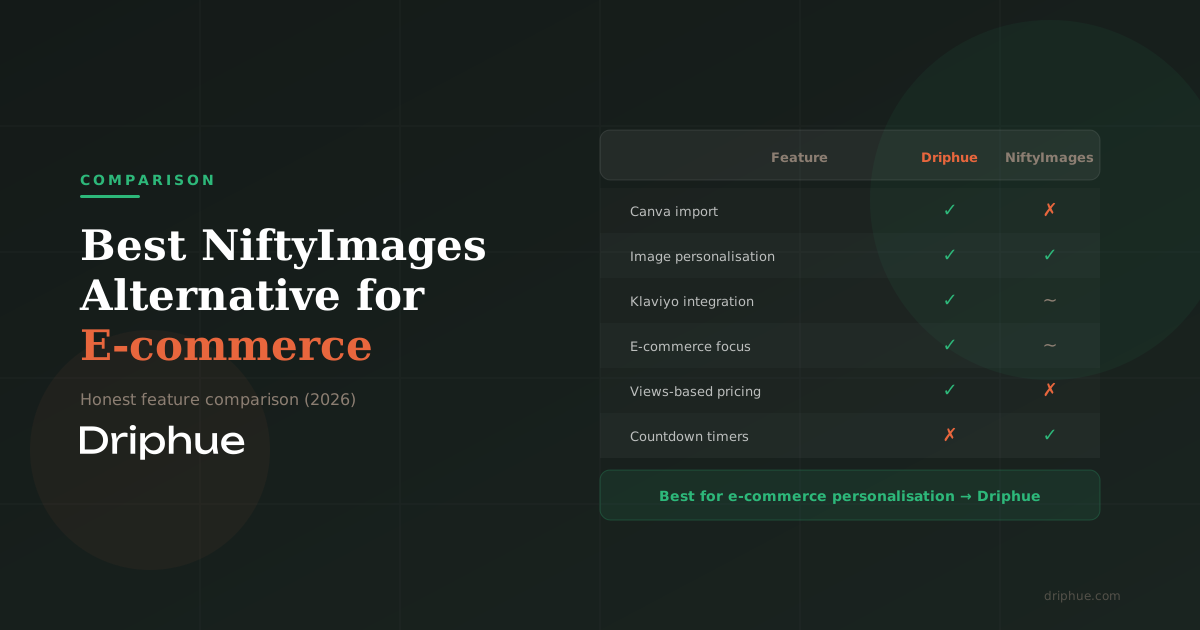 Email Personalization
Best NiftyImages Alternative for E-commerce
9 min read
Personalise every image in your emails
Turn your Klaviyo, Brevo or any-ESP campaigns into dynamic, per-subscriber images and countdown timers — no code required.